All casesNo. 062
USF Embeds Student Pairs in Staff Teams to Spread Copilot
Instead of seminars, trained student pairs work on one team's own tasks for a fixed term
- Case no.
- 062
- Primary source
- Microsoft customer story and USF IT program pages
- Source published
- 2026-05-06
1. Why this case
The University of South Florida (USF) is a research university in the United States with campuses in Tampa, St. Petersburg, Sarasota-Manatee and USF Health, about 50,000 students and 14 colleges. Microsoft lists it at 10,000+ employees. Copilot is already among the Microsoft 365 tools USF provides to its employees. According to its CIO, what held the university back was not the tool but teaching people to use it in the jobs they already do.
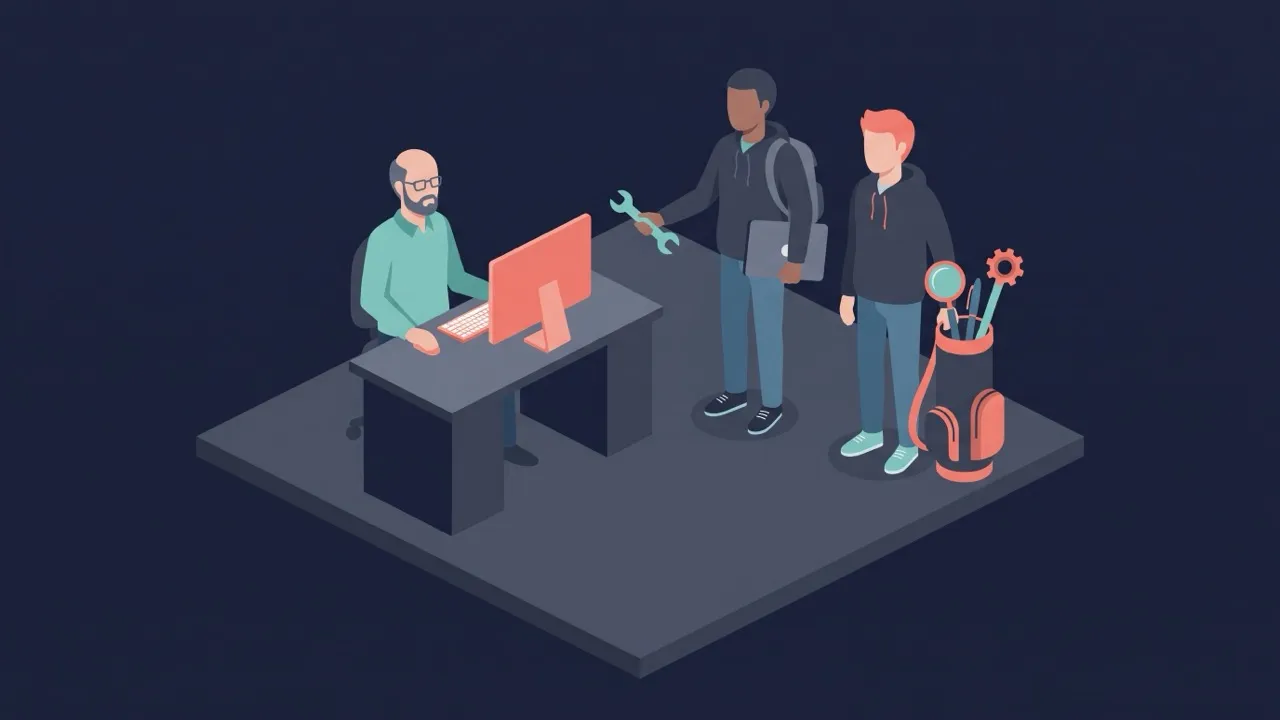
In the CIO’s view, large seminars and traditional training would not scale. USF’s IT department went another way. It trains a cohort of students with Microsoft, then matches each pair of students with one staff or faculty team. The pair works on that team’s own pressing tasks, inside a fixed time window and under four rules: the project is time-boxed, the solution lives in the Microsoft tools people already use, the team must be able to keep it running without IT (“essentially ‘no code’”), and it can only touch data classified as “green zone.”
The case is useful because the unit of change is one team’s workflow, and the people who turn that workflow into a Copilot solution are students working alongside the team, not IT staff or trainers. The one solution described in detail is a Copilot agent, built with Agent Builder, that lets an executive assistant generate meeting minutes from previous meeting content. Staff feedback reported in the Microsoft story puts the time saved on individual tasks at 55% to 60%. These are vendor-published, staff-reported figures, not audited results.
2. Problem
The Microsoft story frames the challenge as “advancing staff and students’ understanding and use of new and rapidly changing AI tools and capabilities.” Sidney Fernandes, USF’s CIO, puts the gap in usage, not in capability:
“Copilot’s ability to transform people’s workflow in the jobs they are already doing just keeps getting better and better. The only thing that’s holding us back is teaching people how to use Microsoft Copilot as personal accelerators in their day-to-day lives.”
The usual way to teach did not fit. “Folks at the University are busy. Trying to get them into large seminars or traditional training are not scalers for us. We wanted to meet our clients where they are, with the folks who know them best.”
Looking back on the projects, Fernandes said: “A lot of the time, it was people not realizing that the tools they had in front of them could reduce the time they spend on routine tasks.”
Confirmed facts: ~50,000 students, 14 colleges, 240+ degree programs; 10,000+ employees (Microsoft’s size category); Copilot among the Microsoft 365 tools USF provides to employees; large seminars and traditional training judged not to scale; many staff did not see that tools they already had could cut routine work.
3. Solution
3.1 Train a cohort of students first
The USF–Microsoft Student Ambassador Program is run by USF Information Technology together with Microsoft. “Handpicked student ambassadors receive training from the University and direct from Microsoft.” The story counts “eight kick-off sessions with Microsoft.” USF IT’s call for the Fall 2026 cohort, posted April 23, 2026, lays out the term: “Eight training sessions from September 8 - October 1,” then “Real-world implementation with USF departments in October and November,” and a “Final presentation December 3.”
USF IT’s program page says ambassadors “are trained to assess departmental needs, assist with tool adoption, provide ongoing guidance, and communicate progress and outcomes.” Fernandes describes the training as a toolkit, not a script: “The training from Microsoft gives the students a bag of golf clubs and they are free to pick the right club for each job.”
3.2 One pair, one team
“Post-training, each pair of ambassadors are matched with a different staff or faculty team. Together, they develop solutions to their most pressing challenges.”
Employees apply to take part. USF IT’s January 29, 2026 notice invited employees, “both individuals and teams,” to apply by February 13 for the spring term. It names the tools in scope as Teams, Outlook, Excel, PowerPoint, OneDrive and Copilot, and the topics as “from file management and collaboration to Copilot chat and change management.” The ask on the staff side is small: “a short introductory meeting during the weeks of March 2-13, followed by weekly meetings with students from March 24 – April 22.”
3.3 Four rules for every project
The Microsoft story lists the principles behind the program:
- “All projects are time-boxed, with clear timelines to deliver results quickly”
- “Solutions are embedded in the Microsoft environment, enhancing the tools people use every day”
- “Solutions must be sustainable in the long-term without the intervention of IT – essentially “no code""
- “All university data is categorized, and solutions can only access data in the “green zone""
On top of training, “students complete weekly status reports and are supported with regular check-ins.” Grace Bayliss, IT Client Enablement Specialist, coordinates the program.
3.4 What one pair built
Riccardo Titanti and Angelin Benny worked as a pair “in real department workflows for senior-level executives in the university Communications department and, later, in the Innovative Education Digital Learning department at USF’s Sarasota-Manatee campus.” Both appear on USF IT’s Summer 2025 ambassador list.
In Communications, “the pair created a Copilot agent using Agent Builder in Microsoft 365 Copilot, enabling an executive assistant to generate meeting minutes grounded in previous meeting content.” For the digital learning team, they “delivered Copilot agents to reduce the burden of repetitive tasks and heavy information work.”
Confirmed facts: program run by USF IT with Microsoft; students handpicked and trained by USF and Microsoft (eight kick-off sessions); Fall 2026 term = training Sep 8–Oct 1, implementation Oct–Nov, final presentation Dec 3 (as announced Apr 23, 2026); one pair per staff or faculty team; Spring 2026 staff side = intro meeting Mar 2–13, weekly meetings Mar 24–Apr 22; four principles (time-boxed, inside Microsoft tools, no code without IT, green-zone data only); weekly status reports and check-ins; Communications agent built with Agent Builder for meeting minutes; agents for the digital learning team at Sarasota-Manatee.
4. Impact
All figures come from the Microsoft customer story dated 2026-05-06.
- Time on individual tasks: “Outcome feedback from staff includes 55% to 60% time savings on individual tasks.” The headline figure is “60% time savings on some tasks.”
- Reporting: “hours of reporting reduced to just minutes of work.”
- The executive assistant: Benny says the meeting-minutes agent “really lessened a big burden on her. And with that extra time, she was able to use it towards other important tasks.”
- Spread: after the digital learning work, Titanti says, “they were interested in expanding use cases and into other campuses.”
Fernandes sums up the return in general terms: “We saw lots of ROI very, very quickly from translating real-world business problems into scalable solutions.” He adds that “In some cases, the solutions were elegantly simple.”
The program keeps running term by term. The story says USF “is now preparing its third cohort of student ambassadors.” USF IT’s site lists ambassadors for Summer 2025, Fall 2025 and Spring 2026, and on April 23, 2026 it opened applications for Fall 2026.
5. Insight
The bottleneck was translation, not licenses. Copilot was already among the tools USF provides. What was missing was someone to sit with a team, find the routine task that eats its time, and turn it into a Copilot solution in the tools the team already uses. USF gave that job to trained students instead of to IT or to classroom training.
The pair works on the team’s own problem, not on a curriculum. The unit is one pair and one team, with a short intro and weekly meetings over a few weeks. Staff learn what Copilot can do by seeing it applied to their own tasks, which is what Fernandes means by meeting clients “where they are.”
The rules are what let students build for staff. Each project is time-boxed, so the solution has to keep working after the pair moves on, and without IT. The “no code” rule and the requirement to stay inside the Microsoft environment are aimed at that. The “green zone” rule limits what data a student-built solution can reach, a precondition for letting students work inside executive and departmental workflows.
Limits. The source is a vendor customer story. The 55% to 60% figure is staff feedback on individual tasks, with no baseline, method, or count of projects, and the reporting claim gives no hours or minutes. Only one solution is described in any detail. The story describes how the program runs, not how many teams kept using the solutions after the term ended. The “green zone” classification is not defined.
One-line takeaway: When the tool is already licensed, the step that changes work is putting a trained builder next to one team for a fixed term, with rules that let the team keep what was built without IT.
6. Implementation hypotheses (not in the source)
6.1 A minutes agent grounded in the team’s past minutes
Basis: The Communications pair built “a Copilot agent using Agent Builder in Microsoft 365 Copilot, enabling an executive assistant to generate meeting minutes grounded in previous meeting content.”
The agent most likely pairs two things. Its instructions would set out the department’s minutes format: attendees, decisions, action items with owners, and the tone senior executives expect. Its knowledge source would be the place where earlier minutes and meeting materials already live, probably a SharePoint site or OneDrive folder the assistant can access. For each meeting, the assistant would give the agent that meeting’s notes or transcript and ask for a draft. The agent would follow the structure and wording of past minutes and could carry open action items from the previous meeting into the new draft. The assistant would then correct the draft and send it, so the time saved is in drafting and formatting rather than in approval.
6.2 Handover under the no-code and green-zone rules
Basis: Solutions “must be sustainable in the long-term without the intervention of IT – essentially ‘no code’”; they “can only access data in the ‘green zone’”; projects are “time-boxed”; students “complete weekly status reports.”
Because the pair’s project ends with the term, the agent probably ends up owned by, or shared with, the staff member who uses it, rather than living in a student’s account. Building it in Agent Builder, with instructions in plain language and documents as knowledge, means the assistant can later edit the instructions or swap source files without a developer. The green-zone rule likely works as a check at the start of each project: before a source is attached, the student and the coordinator would confirm that the site or folder holds only data in that category. Data outside it would stay out of the agent even if the team wanted it in. The weekly status reports are the likely place where the 55% to 60% figures come from: the team estimates how long the task took before and after, and the coordinator collects those estimates as the staff outcome feedback the story cites.
7. Sources
- Microsoft — USF student ambassadors boost Microsoft 365 Copilot adoption and time to value
https://www.microsoft.com/en/customers/story/26478-the-university-of-south-florida-microsoft-365-copilot
2026-05-06 (accessed 2026-11-17) - USF Information Technology — USF-Microsoft Student Ambassador Program
https://www.usf.edu/it/student-ambassadors/student-ambassador-program/
Publication date: not shown on page (accessed 2026-11-17) - USF Information Technology — Boost Your Productivity with USF-Microsoft Student Ambassadors
https://www.usf.edu/it-updates/2025/student-ambassadors.aspx
2026-01-29 (accessed 2026-11-17) - USF Information Technology — Apply Now to Become a USF-Microsoft Student Ambassador
https://www.usf.edu/it-updates/2025/student-ambassador-apply.aspx
2026-04-23 (accessed 2026-11-17) - USF Information Technology — Summer 2025 Student Ambassadors
https://www.usf.edu/it/student-ambassadors/summer-2025-student-ambassadors/
Publication date: not shown on page (accessed 2026-11-17) - USF Information Technology — Fall 2025 Student Ambassadors
https://www.usf.edu/it/student-ambassadors/fall-2025-student-ambassadors/
Publication date: not shown on page (accessed 2026-11-17)